
Image Enhancement Service
Image enhancement recovers photographs that were shot badly rather than photographs that were shot wrong. Clipping Path Center corrects exposure, neutralises color casts, pulls detail back out of shadows and highlights, and reduces noise by hand, so a catalogue shot in imperfect conditions still reads as one set.
- Founded 2008 · 15+ years
- 150+ in-house editors
- Hand-edited, human QA
- NDA on every file
- No minimum order
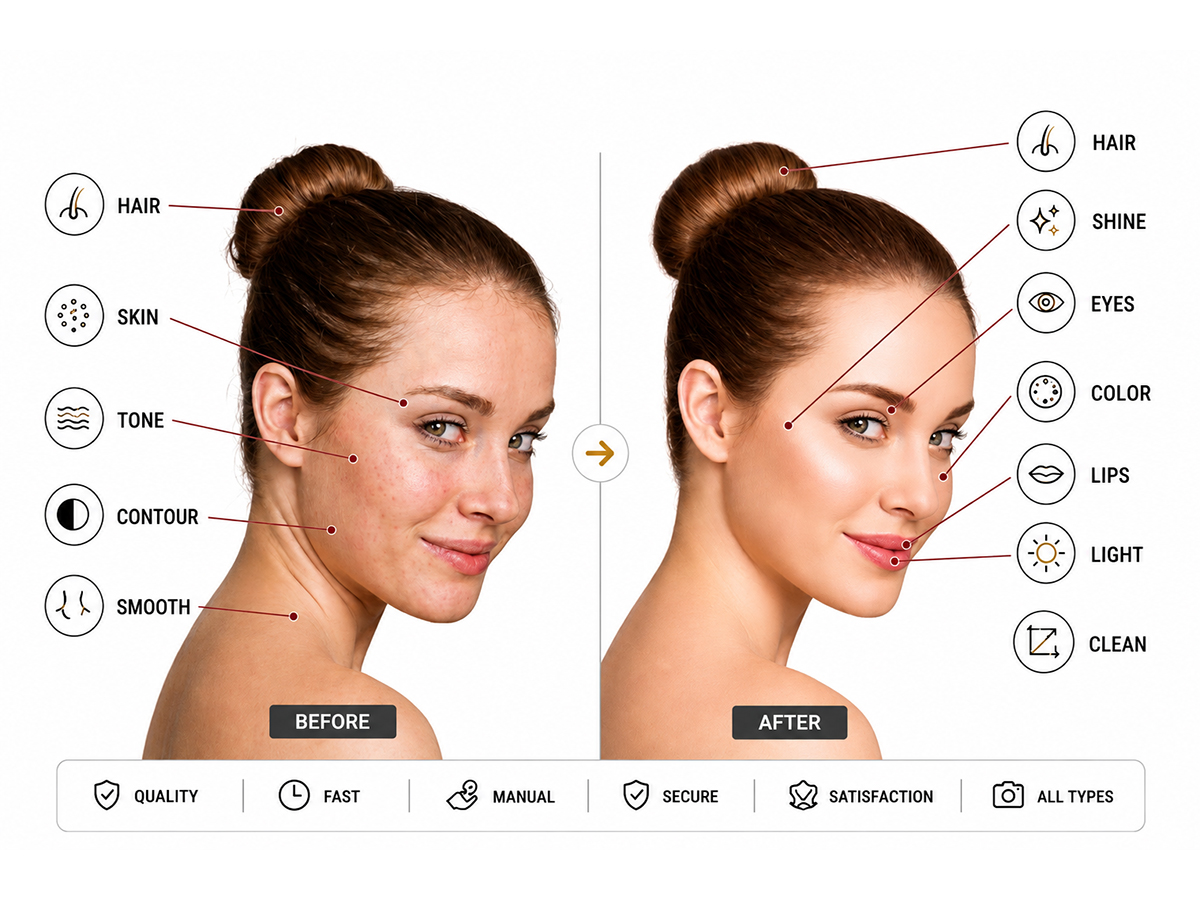
Image enhancement at Clipping Path Center: the specification
| Service | Image enhancement — exposure, contrast, white balance, noise and sharpness correction |
|---|---|
| Method | Adjusted by hand per image, not applied as a batch preset |
| Standard turnaround | 24 hours; large catalogues scheduled to an agreed daily volume |
| Price | From $0.39 per image |
| Minimum order | None |
| Best source files | RAW, which retains far more recoverable shadow and highlight data than JPEG |
| Files accepted | JPEG, PNG, TIFF, PSD, RAW |
| Files delivered | JPEG, TIFF, PNG or PSD, in the color space you specify |
| Hard limit | Fully clipped pixels — pure white or pure black — hold no data and cannot be recovered |
| Revisions | Free until the file matches your written specification |
| Confidentiality | NDA on every file; encrypted FTP and SFTP transfer |
| Free trial | Two images, enhanced and returned before you commit |
Specifications current as of 10 August 2026.
Exposure recovered, not brightened
Raising overall brightness lifts the noise with it. Editors recover shadow and highlight detail selectively, so the correction adds information rather than grey.
White balance neutralised per image
Mixed lighting leaves a color cast that varies shot to shot. Each image is neutralised individually so the batch reads as one lighting setup.
Noise reduced before sharpening
Sharpening first amplifies the grain. Noise reduction runs first, then sharpening is applied selectively to edges rather than across the whole frame.
What is image enhancement?
Image enhancement is the correction of a photograph’s tonal and color properties: exposure, contrast, white balance, saturation, noise and sharpness. The subject and the composition are unchanged. What changes is how accurately the file represents what was in front of the camera.
Enhancement is the remedy for a lighting problem rather than a staging problem. A product photographed under mixed fluorescent and daylight carries a color cast no amount of retouching will fix. A room shot on an overcast afternoon is underexposed in the corners and flat in the middle. Both are enhancement work.
The technique has a hard boundary and it is worth stating before you order. A fully clipped pixel — one recorded as pure white or pure black — contains no data to recover. Detail can be pulled from a dark shadow, because dark is not the same as empty; it cannot be pulled from a blown highlight. RAW files hold substantially more recoverable range than JPEGs, which is why sending RAW where you have it changes the result.
Enhancement, correction, retouching, restoration: telling them apart
Four services overlap in how they are marketed and separate cleanly on what they actually change. Order the wrong one and the problem survives the invoice.
| Service | What it changes | Fixes | Does not fix |
|---|---|---|---|
| Image enhancement | Exposure, contrast, white balance, noise, sharpness | Dark, flat, grainy or color-cast photography | Dust, scuffs, creases, unwanted objects |
| Color correction | Color values matched to a physical reference | Delivered color not matching the real product | Underexposure and noise |
| Photo retouching | Surface defects on the subject | Dust, scuffs, creases, blemishes, stray reflections | Bad lighting across the whole frame |
| Photo restoration | Physical damage on an aged original | Tears, fading, stains, missing areas | Digital exposure problems on a modern file |
Enhancement and color correction are the pair most often confused, and the distinction is what the target is. Enhancement makes an image tonally correct on its own terms. Color correction makes it match something specific — a fabric swatch, a Pantone value, an approved master image. A catalogue that will be judged against physical samples needs both, in that order.
How Clipping Path Center enhances an image
Four operations run in a fixed sequence, because performing them in the wrong order forces the earlier work to be redone.

Exposure and contrast, recovered selectively
Editors correct underexposure and overexposure by working the tonal range rather than by raising overall brightness, which would lift the noise floor with it. Contrast is set to give the image depth without crushing the shadows into black or pushing highlights to clipping, both of which destroy data permanently.

White balance neutralised per image
Mixed light sources leave a color cast that changes from frame to frame, so a batch preset makes the inconsistency worse rather than better. Each image is neutralised individually against a neutral reference in the frame. Saturation is then raised only where the material genuinely carries the color.

Noise reduced before sharpening
High-ISO photography carries luminance and chroma noise that sharpening amplifies, so the order is fixed: noise reduction first, sharpening second. Noise reduction is applied selectively, because pushing it too far smooths fabric weave and product texture into plastic. Sharpening is then applied to edges rather than across the whole frame.

Shadow and highlight detail recovered
Detail is pulled back from dark shadows and from bright, but not fully clipped, highlights so that texture, fabric and product features stay readable. Where a highlight is fully clipped, that area is flagged rather than silently reconstructed, because reconstructing it would mean inventing detail that was never recorded.
What enhancement can and cannot recover
Enhancement is bounded by what the sensor recorded. Stating the boundary before you order is more useful than discovering it on delivery.
| Situation | Recoverable? | What determines it |
|---|---|---|
| Underexposed shadows with data present | Yes | Dark is not empty; the tonal data is there to be lifted |
| Fully clipped highlights (pure white) | No | No value was recorded; anything added would be invented |
| Fully crushed blacks (pure black) | No | Same limit at the opposite end of the range |
| Color cast from mixed lighting | Yes | Neutralised per image against a neutral reference in frame |
| High-ISO luminance and chroma noise | Substantially | Reducible without losing texture, up to a point set by the ISO |
| Motion blur or missed focus | No | Sharpening raises edge contrast; it does not restore detail that was never resolved |
| Recoverable range, RAW vs JPEG | RAW holds substantially more | A JPEG has already discarded tonal data at the point of capture |
These limits follow from how digital sensors and file formats record tonal data, and hold regardless of the software used. Where an image falls outside what enhancement can recover, Clipping Path Center raises it with you before production rather than delivering an invented result.

Who orders image enhancement, and why
E-commerce catalogues
Bringing product shots taken on different days under different light to one consistent exposure and color.
Real estate photographers
Interiors shot in low light, and exteriors shot under overcast skies, brought back to a usable brightness.
Event and portrait photographers
Recovering frames shot at high ISO in venues where the lighting could not be controlled.
Retailers and manufacturers
Making product features legible on the listing image so the material and finish are visible before purchase.
How an image enhancement job runs
Enhancement is judged against a target rather than in isolation, so the target is agreed before the batch starts.
Send the images
Upload the files, RAW where you have it. Every file is covered by an NDA on arrival, and there is no minimum order.
Agree the target
We confirm the reference look, the output color space, the formats and whether the batch has to match an existing approved set, then quote against that written specification. Unrecoverable files are flagged at this stage.
Enhance and check
Each image is adjusted individually rather than through a batch preset. QA reviews the batch side by side, which is the only way inconsistency across a set becomes visible.
Deliver and revise
Files return within 24 hours for standard volumes, and to an agreed daily throughput for large catalogues. Anything off-target is corrected free of charge.
Who edits your images, and where
Enhancement is where batch presets are cheapest and hand adjustment is most visible, so the relevant fact is that a person looks at each frame. These are the figures behind that.
Year Clipping Path Center was founded. Fifteen-plus years of continuous production work sit behind the current process.
In-house editors on the production floor in Dhaka, Bangladesh. No freelancer marketplace and no rotating contractors.
Quality-control passes before delivery: editor self-check, dedicated QA against your written specification, and a final pre-delivery review.
Zoom level editors work at when tracing edges with the Photoshop pen tool. Path accuracy is judged at that magnification, not at fit-to-screen.
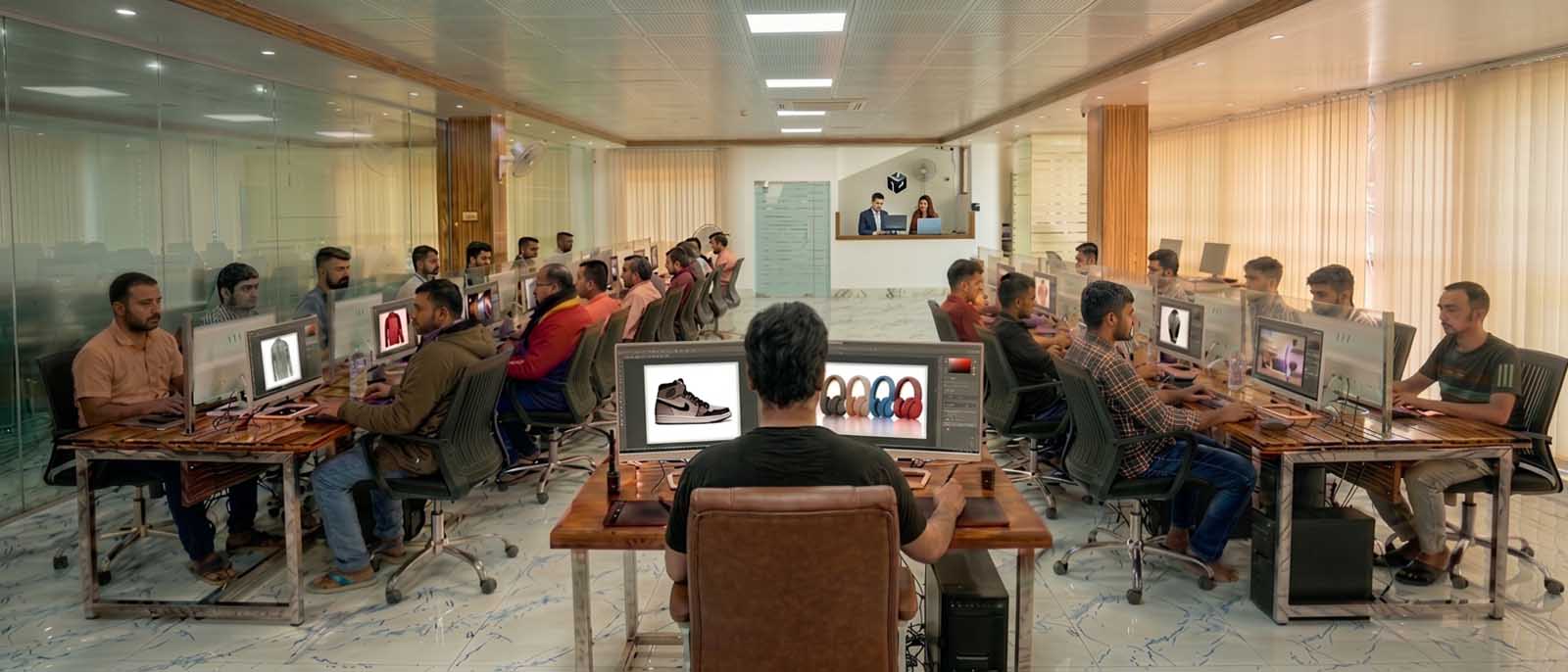
Client-facing offices and support run from the United States, the United Kingdom and Australia. All editing is produced in the Dhaka facility.
One catalogue, shot across three lighting conditions
Ashford Property Photography, a real estate photographer, delivered a set of 24 images shot across an overcast morning, a bright afternoon and a low-light interior, so exposure and color temperature varied sharply between frames within the same listing. Clipping Path Center enhanced each image individually against one agreed reference look rather than applying a batch preset, and quality control reviewed the set side by side so the listing read as a single visit rather than three. 6 listings delivered in 18 hours without a reshoot.
“Every listing used to look like it was shot on three different days, because it was. Now buyers scroll through and see one consistent property, not three lighting moods.”
— Rachel Ashford, Owner · July 2026

Image enhancement prices, per image
Enhancement is priced by how much correction the file needs. Sending RAW rather than JPEG frequently moves an image into a lower tier, because more of the range is still recoverable.
| Type of work | What falls into it | Price per image |
|---|---|---|
| Basic enhancement | Exposure, contrast and white balance correction | From $0.39 |
| Advanced enhancement | Shadow and highlight recovery, selective saturation, edge sharpening | Quoted per image |
| Noise reduction | Luminance and chroma noise cleanup on high-ISO photography | Quoted per image |
| Catalogue batch | High volume matched to one agreed reference look | Quoted per batch |
Prices are quoted in US dollars per image and are current as of 10 August 2026. Volume above [minimum monthly volume] images per month moves into a discounted tier.
Who checked this page

Salim Ahmed
Salim Ahmed runs the production floor and everything at Clipping Path Center in Dhaka, where he has worked in image post-production since 2008. He sets the quality-control standard every delivered file is measured against and personally reviews escalated tonal correction, color accuracy and catalogue consistency work.
Image enhancement: questions buyers ask before ordering
What is image enhancement?
Image enhancement is the correction of a photograph’s exposure, contrast, white balance, saturation, noise and sharpness. The subject and composition are unchanged; what changes is how accurately the file represents what was in front of the camera.
Can you fix a photo that is too dark?
Usually, yes. Dark shadows still contain tonal data, and that data can be lifted selectively rather than by raising overall brightness, which would amplify noise. RAW files hold substantially more recoverable shadow range than JPEGs.
Can you fix a blown-out or overexposed photo?
Partially. Bright areas that still hold data can be brought back. Fully clipped pixels recorded as pure white contain no value at all, so nothing can be recovered from them without inventing detail that was never photographed. Those areas are flagged before production rather than silently reconstructed.
Can you fix a grainy or noisy photo?
Yes. Luminance and chroma noise from high-ISO capture is reduced selectively, then sharpening is applied to edges. The order matters: sharpening before noise reduction amplifies the grain, and over-applied noise reduction smooths fabric weave and product texture into plastic.
What is the difference between enhancement and color correction?
Enhancement makes an image tonally correct on its own terms. Color correction makes it match something specific, such as a fabric swatch, a Pantone value or an approved master image. A catalogue judged against physical samples needs both, with enhancement first.
Will the colors still look natural?
Yes. White balance is neutralised against a neutral reference in the frame and saturation is raised only where the material genuinely carries the color. Over-saturated product images drive returns, which makes restraint the commercial choice as well as the accurate one.
Should I send RAW or JPEG?
Send RAW wherever you have it. A JPEG has already discarded tonal data at the point of capture, so less shadow and highlight range survives to be recovered. Sending RAW frequently moves an image into a lower price tier for that reason.
Can you fix a blurry or out-of-focus photo?
No. Sharpening increases contrast at edges that were resolved; it cannot restore detail the lens never captured. Motion blur and missed focus are flagged as unrecoverable rather than treated.
How fast is delivery?
Standard turnaround is 24 hours. Large catalogues are scheduled to an agreed daily throughput so a publication date can be planned against it. Express delivery is available on request.
Are my images kept confidential?
Yes. Every file is covered by an NDA, transferred over encrypted FTP or SFTP, and used only to complete your order.
More answers on the Clipping Path Center FAQ page.
Send two images. See the work first.
Send two of your worst-lit images. They come back enhanced, free, before you commit to anything.
Two free sample images · No card required · No minimum order