
Image Manipulation Service
Image manipulation constructs a photograph that was never taken: a garment worn by nobody, four products shot separately standing together, an object removed as though it was never there. Clipping Path Center builds these by hand on layered files, matching light direction, shadow density and perspective across every element.
- Founded 2008 · 15+ years
- 150+ in-house editors
- Hand-edited, human QA
- NDA on every file
- No minimum order
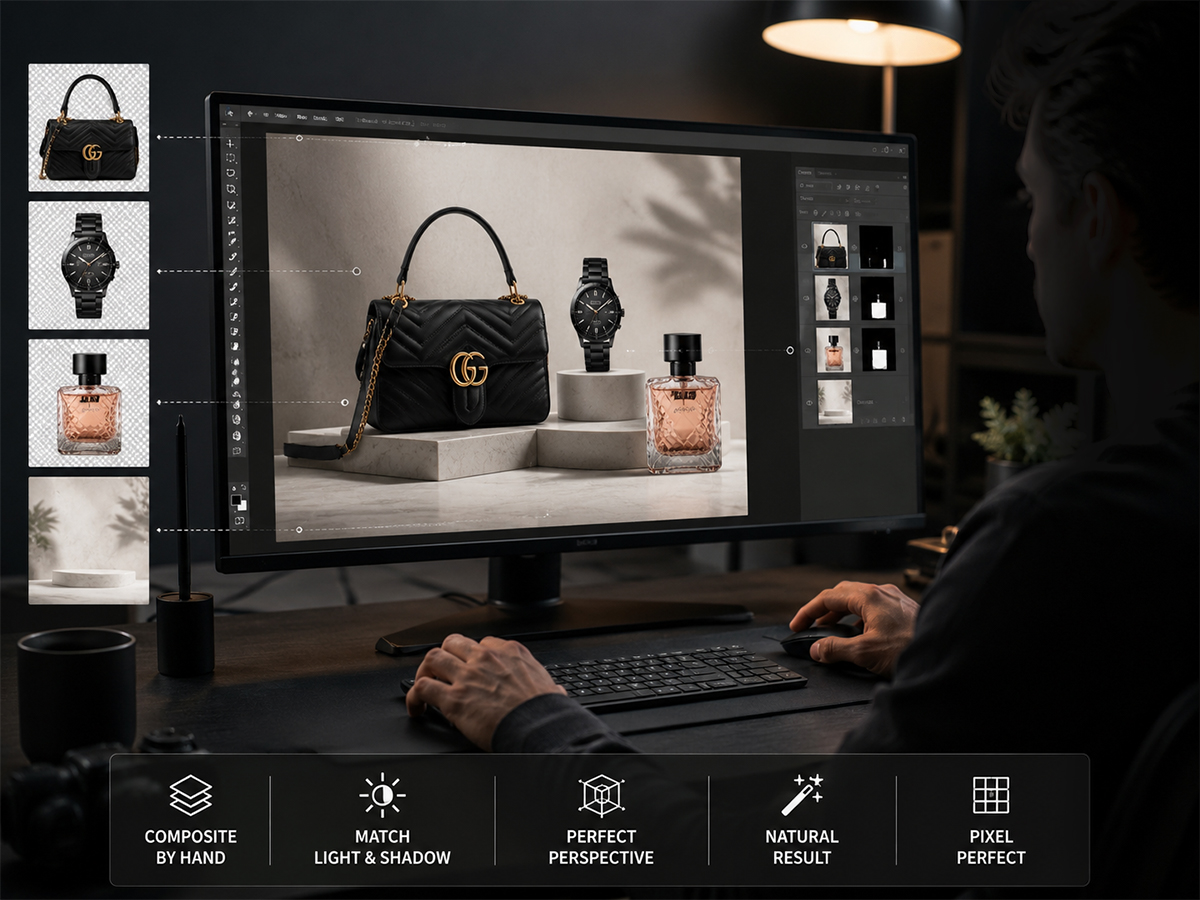
Image manipulation at Clipping Path Center: the specification
| Service | Image manipulation — compositing, object removal, ghost mannequin, color and texture change |
|---|---|
| Method | Built by hand on separate masked layers in Adobe Photoshop |
| Standard turnaround | 24 hours for single-operation work; 48 hours for multi-element composites |
| Price | From $1.19 per image; multi-element composites quoted per file |
| Minimum order | None |
| Source images needed | Ghost mannequin requires at least two shots of the same garment: exterior and interior |
| Files accepted | JPEG, PNG, TIFF, PSD, RAW |
| Files delivered | Layered PSD with elements on separate masked layers, plus flattened JPEG, PNG or TIFF |
| What stays editable | Every composited element, its mask and its shadow layer |
| Revisions | Free until the file matches your written specification |
| Confidentiality | NDA on every file; encrypted FTP and SFTP transfer |
| Free trial | One image, built and returned before you commit |
Specifications current as of 10 August 2026.
Light direction is matched first
Elements photographed under different lighting will not composite convincingly until their light direction, shadow density and contrast are reconciled. That reconciliation is the job.
Removal rebuilds what was behind
Deleting an object leaves a hole. Editors reconstruct the surface, pattern and grain that sat behind it, which is why removals survive being looked at closely.
Colorways from one shoot
A garment photographed once can be delivered in several colorways, with the highlights, shadows and fabric texture of the original preserved through the change.
What is image manipulation?
Image manipulation is the construction of a photographic image that combines, removes or alters elements so the result depicts something the camera never recorded. It covers compositing separate shots into one frame, removing objects and rebuilding what stood behind them, constructing the hollow-body ghost mannequin effect, and changing the color or texture of a surface.
It differs from retouching in intent. Retouching removes a flaw from what was photographed — a scuff, a crease, a dust mark. Manipulation changes what the photograph depicts. The distinction matters commercially, because manipulation replaces a shoot while retouching only cleans one up.
The technical difficulty is almost never the cut-out. It is consistency: light arriving from the same direction, shadows falling at the same density, perspective and scale agreeing across elements, and grain matching between a studio shot and a location plate. An element that is perfectly isolated but lit from the wrong side still reads as a paste-up.
Manipulation, retouching, enhancement: which one you are actually buying
These three are quoted against each other constantly and they solve different problems. The fastest way to tell them apart is to ask what the finished image depicts.
| Service | What changes | What the image depicts afterwards | Order it when |
|---|---|---|---|
| Image manipulation | Elements are added, removed, combined or recolored | Something that was never photographed | A reshoot would otherwise be needed |
| Photo retouching | Flaws on the existing subject are cleaned up | The same scene, without its defects | The shot is right but the surface is not |
| Image enhancement | Exposure, color balance, sharpness and noise | The same scene, better exposed | The lighting failed, not the setup |
| Color correction | Color values are matched to a reference | The same scene, in true color | The delivered color must match the physical product |
The three are frequently sequenced on the same file rather than chosen between. A campaign asset typically runs enhancement first to normalise the exposure, then retouching to clean the product surface, then manipulation to build the composite — in that order, because compositing elements that have not been normalised forces the work to be redone. See what retouching covers, or what enhancement recovers.
What Clipping Path Center builds
Four operations account for most manipulation work. Each one has a specific failure mode, and each is done by hand for that reason.

Ghost mannequin and neck joint
Two photographs of the same garment are merged: the exterior on a mannequin, and an interior shot of the collar, cuffs and hem. Editors join them so the garment reads as filled and worn with nobody inside it. The neck joint is where this work fails or succeeds, because a collar that does not follow the shoulder line is visible instantly at listing thumbnail size.

Object addition and removal
Removing an element is the easy half. Rebuilding what stood behind it — continuing a wood grain, a fabric weave, a gradient in a backdrop, a reflection on a floor — is what makes the removal survive inspection. Elements added into a scene are matched for lighting, perspective, scale and grain before they are placed.

Multi-image composites
Products shot at different times, in different studios, under different lights are brought into one frame. Editors reconcile light direction, color temperature and shadow density, then build ground shadows that agree with a single implied light source. This is the work that most often replaces an expensive reshoot.

Color and texture change
A surface is recolored while its highlights, shadows and material texture are preserved, so cotton still reads as cotton and leather still reads as leather. A single photographed sample can therefore carry a full color range on a listing page. Where the fabric behaves differently between colorways, that limit is flagged before production rather than after.
What has to be true for a composite to hold up
Composite work is judged on a small number of physical properties. These are the checks a file is measured against before it leaves the QA desk.
| Property | What is checked | What goes wrong when it is not |
|---|---|---|
| Light direction | Every element lit from a consistent implied source | Two products lit from opposite sides read as a paste-up immediately |
| Shadow density and softness | Shadow darkness and edge softness agree across elements | A hard shadow beside a soft one contradicts a single light source |
| Contact shadow | Each object grounded where it meets the surface | Products appear to float above the background |
| Perspective and eye level | Horizon and vanishing point consistent across elements | Objects appear to be viewed from different heights in one frame |
| Scale | Relative size checked against real product dimensions | A composite that misrepresents size drives returns |
| Color temperature | White balance normalised across all source images | One element reads warm and another cool in the same frame |
| Grain and noise | Noise structure matched between elements | A clean studio cut-out on a grainy plate is visible at full size |
| Edge treatment | Residual color spill removed at every cut edge | A halo appears when an element moves to a new background |
These are the specific criteria quality control applies to composite work at Clipping Path Center, checked on every file before delivery.

Who orders image manipulation, and what for
Fashion and apparel brands
Ghost mannequin listings and colorway ranges produced from a single photographed sample.
Advertising agencies
Campaign composites assembled from separately shot elements, delivered layered for market versions.
E-commerce sellers
Products placed into lifestyle settings, and distracting elements removed from existing shots.
Photographers
Group shots repaired, backgrounds extended, and unwanted elements removed after the shoot has wrapped.
How an image manipulation job runs
Manipulation is briefed rather than specified, because the deliverable is a picture that does not exist yet. The brief is agreed before any pixel is moved.
Send the sources and the brief
Upload every source image plus a description or reference of the intended result. Ghost mannequin work needs both an exterior and an interior shot of the same garment. Files are covered by an NDA on arrival.
Agree the outcome
We confirm what the finished image must depict, which elements come from which source, the layer structure you need on delivery, and the formats, then quote against that written brief.
Build and check
Editors build each element on its own masked layer. QA checks light direction, shadow density, perspective, scale, color temperature and grain before the file is passed for a final pre-delivery review.
Deliver and revise
A layered PSD returns with every element still separable, plus flattened exports. Changes are free until the file matches the agreed brief.
Who edits your images, and where
Composite work depends on judgement that cannot be specified in advance, which makes who does it the whole question. These are the facts about the production team behind it.
Year Clipping Path Center was founded. Fifteen-plus years of continuous production work sit behind the current process.
In-house editors on the production floor in Dhaka, Bangladesh. No freelancer marketplace and no rotating contractors.
Quality-control passes before delivery: editor self-check, dedicated QA against your written specification, and a final pre-delivery review.
Zoom level editors work at when tracing edges with the Photoshop pen tool. Path accuracy is judged at that magnification, not at fit-to-screen.
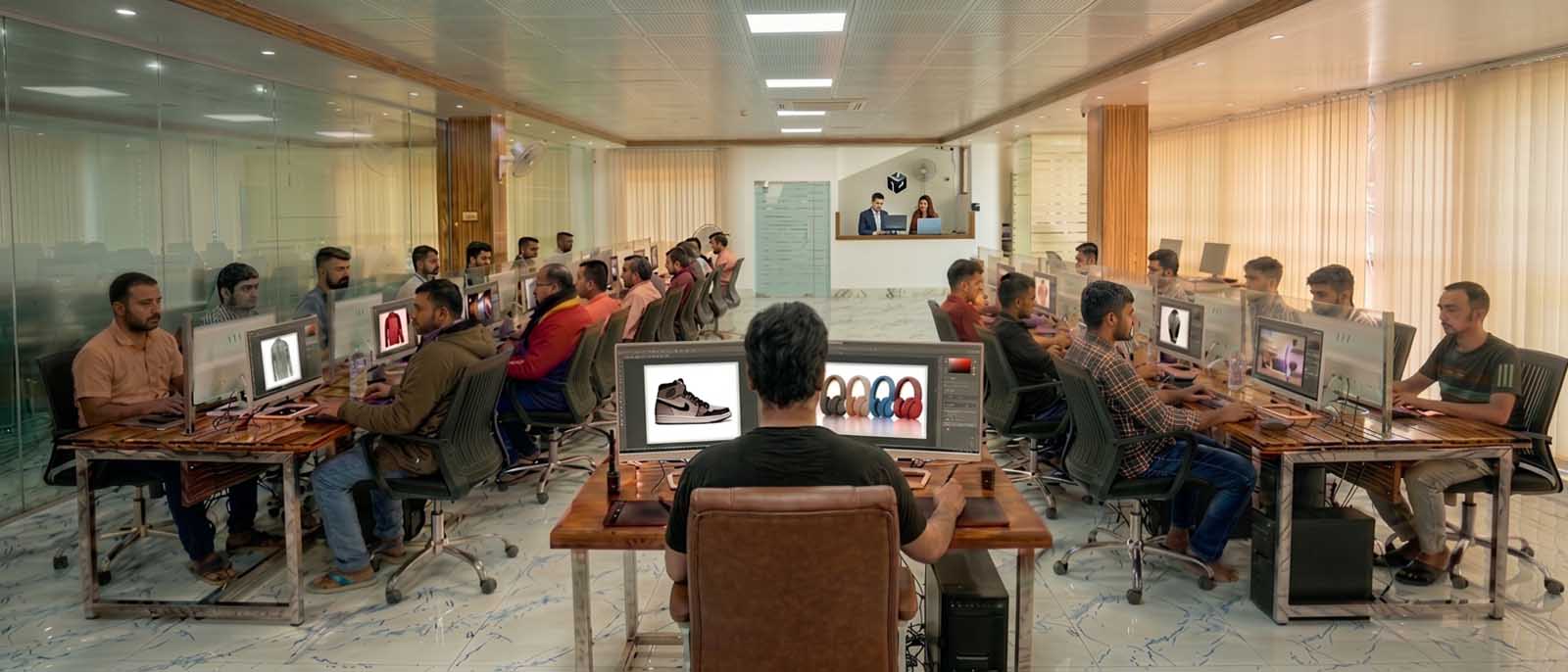
Client-facing offices and support run from the United States, the United Kingdom and Australia. All editing is produced in the Dhaka facility.
Building a group shot without a reshoot
Northgate Advertising, an advertising agency, needed 8 products presented together for a regional print campaign, but each had been photographed separately, in different studios, under different lighting. Clipping Path Center isolated each product, reconciled light direction and color temperature across all of them, built ground shadows agreeing with one implied light source, and delivered the group shot as a layered file so individual products could be swapped for later market versions. Reshoot avoided at an estimated cost of $18,000, delivered in 5 days.
“We were staring down a full reshoot with three different studios’ worth of scheduling. Getting one believable group shot from what we already had saved the campaign timeline.”
— Marcus Webb, Creative Director · June 2026

Image manipulation prices, per image
Manipulation is priced by the number of elements involved and the amount of reconstruction required, so a written brief produces a firmer quote than a description does.
| Type of work | What falls into it | Price per image |
|---|---|---|
| Basic manipulation | Single object removal, neck joint on flat-laid apparel | From $1.19 |
| Ghost mannequin | Exterior and interior shots merged into a hollow-body garment image | Quoted per garment |
| Color and texture change | Recoloring a garment or product while preserving texture and shadow | Quoted per colorway |
| Multi-element composite | Several elements combined, with matched lighting and constructed shadows | Quoted per file |
Prices are quoted in US dollars per image and are current as of 10 August 2026. Volume above [minimum monthly volume] images per month moves into a discounted tier.
Who checked this page

Salim Ahmed
Salim Ahmed runs the production floor and everything at Clipping Path Center in Dhaka, where he has worked in image post-production since 2008. He sets the quality-control standard every delivered file is measured against and personally reviews escalated composite construction, ghost mannequin work and campaign retouching work.
Image manipulation: questions buyers ask before ordering
What is image manipulation?
Image manipulation is the construction of a photographic image that combines, removes or alters elements so the result depicts something the camera never recorded. It covers compositing, object removal, ghost mannequin construction, and color or texture change.
What is the difference between image manipulation and retouching?
Retouching cleans up flaws in what was photographed, such as dust, creases or scuffs, and the scene stays the same. Manipulation changes what the image depicts by adding, removing or combining elements. Manipulation can replace a shoot; retouching only improves one.
What do you need for a ghost mannequin?
At least two photographs of the same garment: an exterior shot on a mannequin, and an interior shot showing the collar, and where relevant the cuffs and hem. Without the interior shot the neck opening has to be invented, which is visible at listing thumbnail size.
Can you remove a person or an object from a photograph?
Yes. The visible part is the removal; the work is reconstructing what stood behind it, including surface pattern, gradient, reflection and grain. That reconstruction is what allows the removal to survive being viewed at full size.
Can you combine products photographed at different times?
Yes, and it is the most common composite request. Each element is isolated and then reconciled for light direction, color temperature, shadow density, perspective, scale and grain, and ground shadows are built to agree with a single implied light source.
Can you change the color of a garment or product?
Yes. The surface is recolored while highlights, shadows and material texture are preserved, so one photographed sample can carry several colorways on a listing page. Where a fabric behaves differently between colorways, that limit is flagged before production rather than after delivery.
What file do I receive?
A layered PSD with each composited element on its own masked layer, along with its shadow layer, plus flattened exports in the formats you need. Keeping the elements separable is what allows later market versions without a rebuild.
How fast is delivery?
Single-operation work returns within 24 hours. Multi-element composites run to 48 hours. Express delivery is available on request, and ongoing campaign work runs to an agreed schedule.
How is manipulation priced?
From $1.19 per image for basic work such as a single object removal or a flat-laid neck joint. Ghost mannequin, colorway and multi-element composite work is quoted per file, because the price follows the number of elements and the amount of reconstruction required.
Are unreleased campaign assets kept confidential?
Yes. Every file is covered by an NDA from arrival, transferred over encrypted FTP or SFTP, and used only to complete your order. Pre-launch campaign material is routine work.
More answers on the Clipping Path Center FAQ page.
Send two images. See the work first.
Send one image and the brief. It comes back built, layered and free, before you commit to anything.
Two free sample images · No card required · No minimum order