
Raster to Vector Conversion
An auto-trace produces a vector file with three thousand nodes and wobbling edges. Clipping Path Center redraws artwork by hand with the pen tool, so a logo scales from a business card to a building sign, and the file opens cleanly in embroidery, vinyl cutting and CNC software.
- Founded 2008 · 15+ years
- 150+ in-house editors
- Hand-edited, human QA
- NDA on every file
- No minimum order
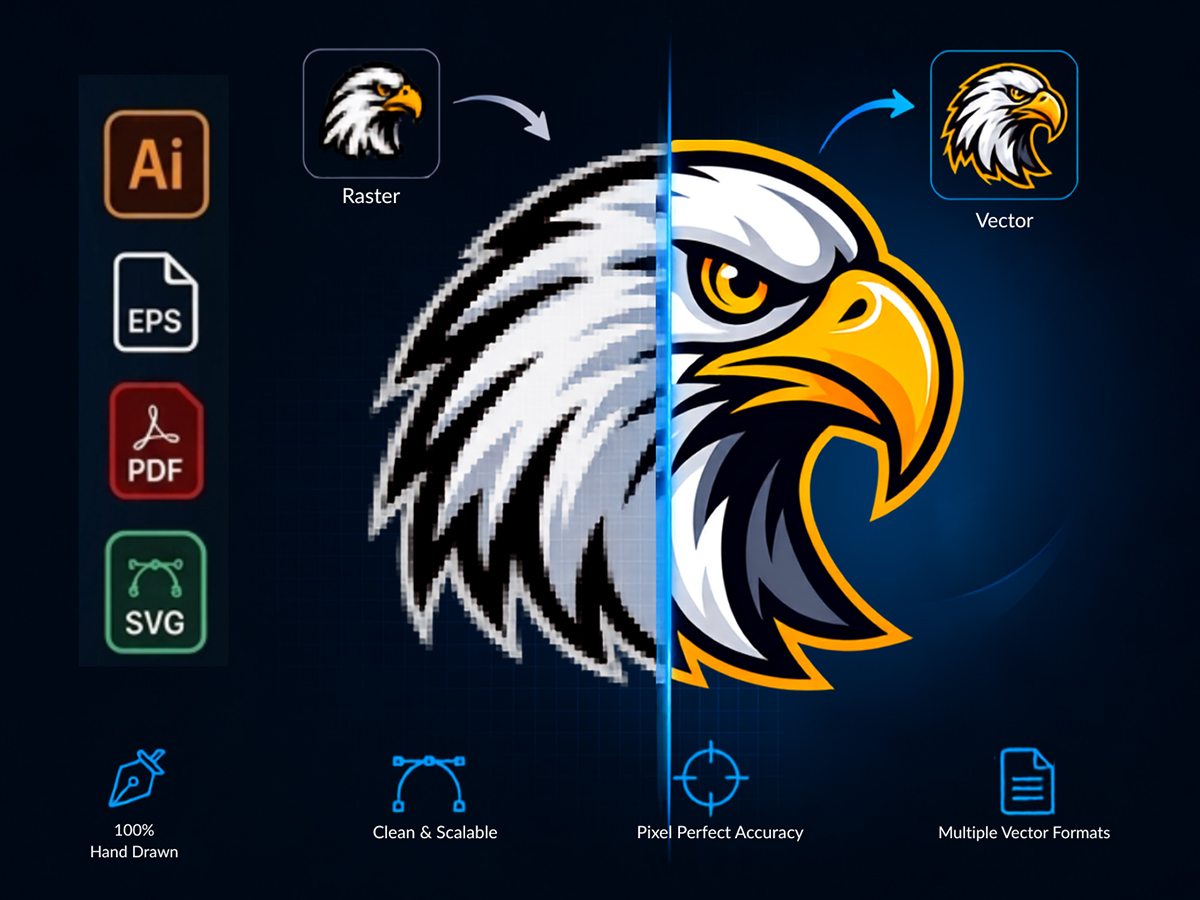
Raster to vector at Clipping Path Center: the specification
| Service | Raster to vector conversion — logos, artwork, line drawings, technical drawings, signatures |
|---|---|
| Method | Redrawn by hand with the pen tool. No auto-trace, no image trace, no filter. |
| Standard turnaround | 24 hours; 48 hours for complex or multi-colour artwork |
| Price | From $9 per file, set by complexity rather than by file size |
| Minimum order | None. A single logo is a normal order. |
| Files accepted | JPEG, PNG, GIF, BMP, TIFF, PDF, or a photograph of a printed or drawn original |
| Files delivered | AI, EPS, SVG, PDF, DXF, DWG or CDR — whichever your process needs |
| Node discipline | The minimum nodes that describe the curve, so the file stays editable |
| Colour | Flat spot colours or CMYK breakdown; gradients rebuilt as vector gradients |
| Text | Redrawn as outlines, or set in the matching font where you own the licence |
| Revisions | Free until the file matches your artwork |
| Confidentiality | NDA on every file; encrypted FTP and SFTP transfer |
Specifications current as of 10 August 2026.
Scales to any size
A vector holds no resolution of its own. The same file prints on a pen and on a lorry, and neither one shows a pixel.
Minimum nodes, editable curves
An auto-trace scatters hundreds of nodes along an edge that needs six. Hand-drawn paths stay editable by your designer years later.
Opens in your production software
Delivered in the format your process actually consumes, including DXF and DWG for cutting, routing and engraving.
What is raster to vector conversion?
Raster to vector conversion redraws a pixel-based image as mathematical paths. A raster file — JPEG, PNG, a scan, a photograph of a printed logo — stores a grid of coloured pixels and degrades the moment it is enlarged. A vector file stores curves and fills, carries no resolution of its own, and reproduces identically at any size.
The conversion exists because most businesses do not hold the original artwork for their own logo. It was made years ago by an agency that has since closed, and what survives is a JPEG lifted from a website. That file cannot be printed large, cut on vinyl, embroidered, engraved or screen printed.
Software will attempt this automatically, and the result is the reason the service exists. An auto-trace follows the pixel boundary literally, so every compression artefact becomes a bump in the path, straight lines acquire a wobble, and a simple mark comes back carrying thousands of nodes. It looks acceptable on screen at 100 per cent and falls apart at production size.
Auto-trace and hand redraw, on the criteria that decide the job
Both produce a file with a vector extension. Only one of them survives contact with a production process.
| Criterion | Auto-trace | Hand redraw | Why it matters |
|---|---|---|---|
| Node count | Hundreds to thousands | The minimum that describes the curve | Node clutter makes the file uneditable |
| Straight lines | Wobble at production size | Actually straight | Visible on any large-format output |
| Corners | Rounded by the algorithm | Sharp where the artwork is sharp | Rounded corners change a brand mark |
| Compression artefacts | Traced as if they were artwork | Ignored | JPEG noise becomes permanent geometry |
| Text | Traced as lumpy shapes | Redrawn or reset in the font | Small type is where auto-trace fails first |
| Colours | Dozens of near-identical fills | Flat spot colours as intended | Screen printing needs one fill per colour |
| Machine files | Often rejected | Cutting and CNC ready | A cutter follows every node it is given |
The node count is the practical test, and you can run it yourself. Open a converted file, select the artwork and look at how many anchor points a simple curve carries. Six to twelve on a smooth arc is a redrawn file. Two hundred is an auto-trace with a vector extension, and a vinyl cutter will follow every one of them. If the original artwork is genuinely lost and the mark needs rebuilding, that is logo design rather than conversion.
How Clipping Path Center converts artwork
Four stages. The first is the one that decides whether the finished file is a copy of your logo or a copy of your JPEG.

Reading the artwork, not the pixels
Before anything is drawn, the editor separates the design from the damage. Soft edges, colour fringing and blocky halos are compression, not intent. A circle that has gone slightly oval in a bad scan is redrawn as a circle. This judgement is the entire difference between the two approaches, and no algorithm makes it.

Redrawn with the pen tool
Every path is drawn by hand with the minimum number of anchor points that describes the shape. Circles are drawn as circles, straight lines as straight lines, and corners kept sharp. Fewer nodes means a smaller file, a cleaner cut path and artwork your own designer can still edit in five years.

Colour, type and gradients
Colours are rebuilt as flat spot fills or a CMYK breakdown, named as swatches so a printer can separate them, rather than left as the dozens of near-identical fills an auto-trace produces. Gradients are rebuilt as vector gradients. Type is redrawn as outlines, or reset in the matching font where you hold the licence.

Built for the process it feeds
The same logo needs different preparation depending on where it is going. Screen printing wants separated flat colours. Vinyl cutting wants a single continuous cut path with no open shapes. Embroidery wants small detail simplified to what a needle can actually stitch. CNC and laser work want DXF or DWG. Tell us the process and the file arrives ready for it.
Which file format your process actually needs
The commonest reason a correct vector file gets rejected is that it arrived in the wrong container for the machine at the other end.
| Where it is going | Format to ask for | What matters most |
|---|---|---|
| General print and design | AI, EPS or PDF | Editable paths and named colour swatches |
| Web and app use | SVG | Small file, clean node count, scalable in browser |
| Screen printing | AI or EPS with separated spot colours | One flat fill per screen, no blends |
| Embroidery digitising | AI or EPS, detail simplified | Fine detail a needle cannot resolve must be simplified |
| Vinyl cutting and signage | EPS, SVG or DXF | Closed paths only; an open path will not cut |
| CNC routing and laser | DXF or DWG | Correct units and scale; no stray nodes |
| Large-format print | AI, EPS or PDF at true scale | Vector text outlined so no font is missing |
| Legacy or agency handoff | CDR, or AI at a stated version | Version compatibility with the receiving studio |
Tell us the destination process when you order and the file is prepared for it rather than converted generically. A vector file that is technically correct and unusable by the machine it was made for is a failed job.

Who orders raster to vector conversion
Print and sign shops
Customer-supplied logos redrawn so they can actually be output at size.
Embroidery and apparel decorators
Artwork simplified and cleaned so it digitises without hand correction.
Manufacturers and engravers
Technical drawings and marks converted to DXF at true scale for CNC and laser.
Brands with lost artwork
The only surviving JPEG of a logo rebuilt as usable master files.
How a conversion job runs
One question at the start decides most of the work: what is this file going to be used for.
Send the artwork
Upload whatever you have — a JPEG from a website, a scan, even a photograph of a printed sign. Low resolution is workable; it just means more judgement.
Tell us the destination
We confirm the output formats, the production process, colour treatment, whether type is outlined or live, and scale, then quote against that.
Redraw and check
An editor redraws the artwork by hand. Quality control overlays the vector on the original at high magnification and checks node count, closed paths and colour separation.
Delivery
Files return within 24 hours in every format you asked for, prepared for the process they are feeding.
Who edits your images, and where
Vector conversion quality is entirely a function of the person drawing the paths, since the alternative is a button anyone can press. These are the facts about the floor.
Year Clipping Path Center was founded. Fifteen-plus years of continuous production work sit behind the current process.
In-house editors on the production floor in Dhaka, Bangladesh. No freelancer marketplace and no rotating contractors.
Quality-control passes before delivery: editor self-check, dedicated QA against your written specification, and a final pre-delivery review.
Zoom level editors work at when tracing edges with the Photoshop pen tool. Path accuracy is judged at that magnification, not at fit-to-screen.
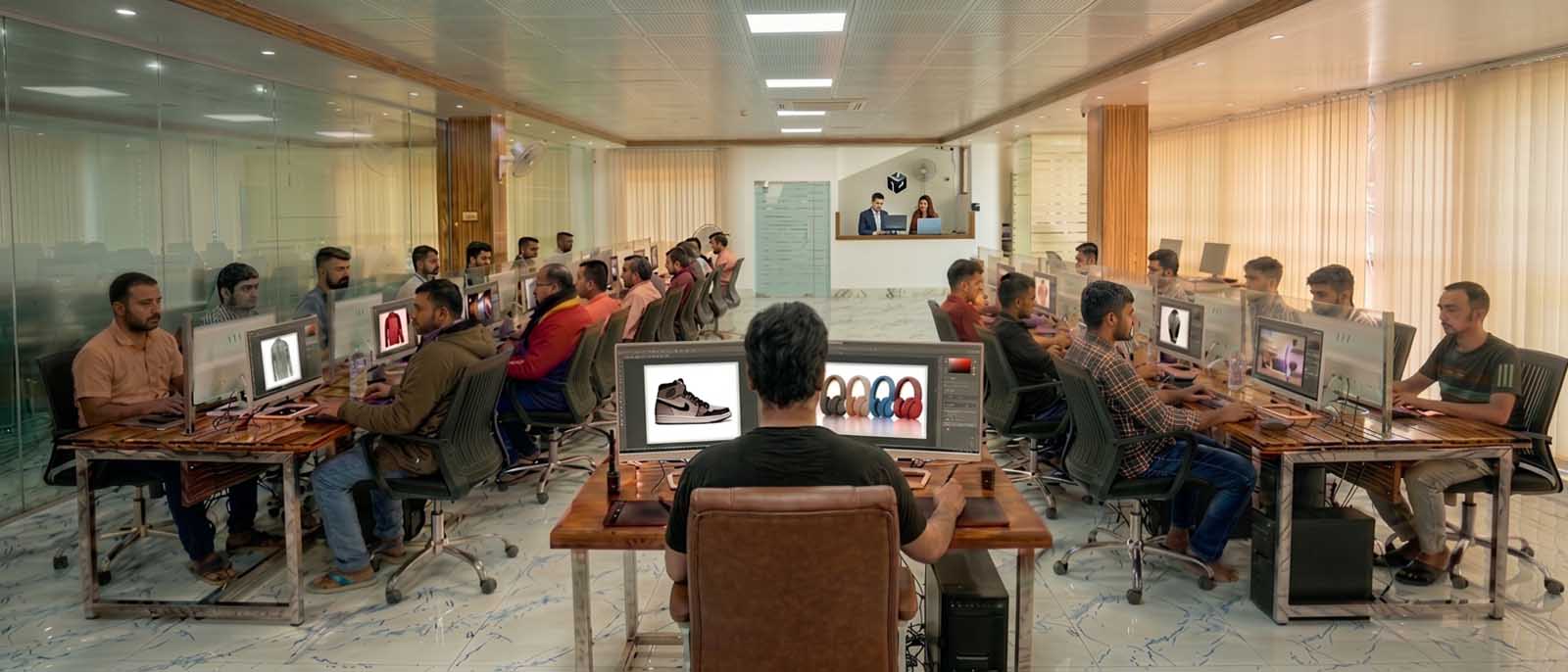
Client-facing offices and support run from the United States, the United Kingdom and Australia. All editing is produced in the Dhaka facility.
A lost logo rebuilt from a website JPEG
Millbrook Coffee Roasters, a specialty coffee roaster, held no original artwork for its own logo — the design agency had closed and what survived was a 240×180 pixel JPEG lifted from the old website. Clipping Path Center redrew the mark by hand, rebuilt the colours as named spot swatches, and delivered AI, EPS, SVG and DXF so the logo could be printed, cut and embroidered from one master set. Signage, uniforms and packaging were all produced from the same file set.
“We’d been stretching a blurry JPEG for years, patching it up for every new use. Having proper vector files finally meant our signage and packaging actually matched.”
— Dan Millbrook, Founder · January 2026

Raster to vector prices, per file
Conversion is priced per file by the complexity of the artwork, not by the size or resolution of what you send.
| Complexity | What falls into it | Price per file |
|---|---|---|
| Simple | Single-colour marks, wordmarks, line drawings, signatures | From $9 |
| Standard | Multi-colour logos, moderate detail, combined mark and type | Quoted per file |
| Complex | Illustrative artwork, gradients, fine detail, crests and seals | Quoted per file |
| Technical drawing | Engineering drawings and plans to DXF or DWG at true scale | Quoted per drawing |
Prices are quoted in US dollars per image and are current as of 10 August 2026. Volume above [minimum monthly volume] images per month moves into a discounted tier.
Who checked this page

Salim Ahmed
Salim Ahmed runs the production floor and everything at Clipping Path Center in Dhaka, where he has worked in image post-production since 2008. He sets the quality-control standard every delivered file is measured against and personally reviews escalated vector redrawing and production-ready artwork preparation work.
Raster to vector: questions print and production buyers ask
What is raster to vector conversion?
Raster to vector conversion redraws a pixel-based image as mathematical paths. The result carries no resolution of its own, so it reproduces identically at any size and can be cut, engraved, embroidered and screen printed, none of which a JPEG supports.
Why not just use the auto-trace in Illustrator?
Auto-trace follows the pixel boundary literally. Compression artefacts become bumps in the path, straight lines wobble, corners round off and a simple mark comes back with thousands of anchor points. It looks acceptable on screen and fails at production size, and a vinyl cutter will follow every one of those nodes.
How do I tell a hand redraw from an auto-trace?
Count the anchor points. Select the artwork in a vector editor and look at a smooth curve: six to twelve nodes means it was redrawn, two hundred means it was traced. That single check tells you what you actually bought.
My logo file is tiny and blurry. Can you still do it?
Yes, and it is the most common case. Low resolution means more judgement rather than a worse result, because the editor is reading the intended design and separating it from the compression damage. A circle that went slightly oval in a bad scan is redrawn as a circle.
What file formats do you deliver?
AI, EPS, SVG, PDF, DXF, DWG and CDR. Tell us what the file is feeding and it is prepared for that process, since a technically correct vector in the wrong container gets rejected by the machine at the other end.
Can you prepare files for embroidery or vinyl cutting?
Yes, and they need opposite things. Embroidery needs fine detail simplified to what a needle can actually stitch. Vinyl cutting needs closed continuous paths, because an open path will not cut. State the process at order stage.
What happens to the text in my logo?
It is redrawn as outlines so no font is needed downstream, or reset live in the matching font where you hold the licence. Auto-tracing small type produces lumpy letterforms, and type is where the difference shows first.
Will the colours be right for printing?
Colours are rebuilt as flat spot fills or a CMYK breakdown and named as swatches, so a printer can separate them directly. An auto-trace typically produces dozens of near-identical fills that make separation impossible.
How fast is delivery?
Standard turnaround is 24 hours. Complex illustrative artwork and multi-colour work runs to 48 hours. Express handling is available on request.
How much does conversion cost?
From $9 per file for single-colour marks, wordmarks, line drawings and signatures. Multi-colour logos, illustrative artwork and technical drawings are quoted per file, because the price follows the complexity of the artwork rather than the size of what you send.
More answers on the Clipping Path Center FAQ page.
Send two images. See the work first.
Send the artwork you have, however small. You will get the redrawn vector back before you pay for anything.
Two free sample images · No card required · No minimum order