
Clipping Mask Service
A clipping mask controls which parts of a layer are visible without deleting a single pixel. Clipping Path Center builds masks by hand for typography fills, composites and complex isolations, and delivers layered PSD files you can keep editing after the job closes.
- Founded 2008 · 15+ years
- 150+ in-house editors
- Hand-edited, human QA
- NDA on every file
- No minimum order
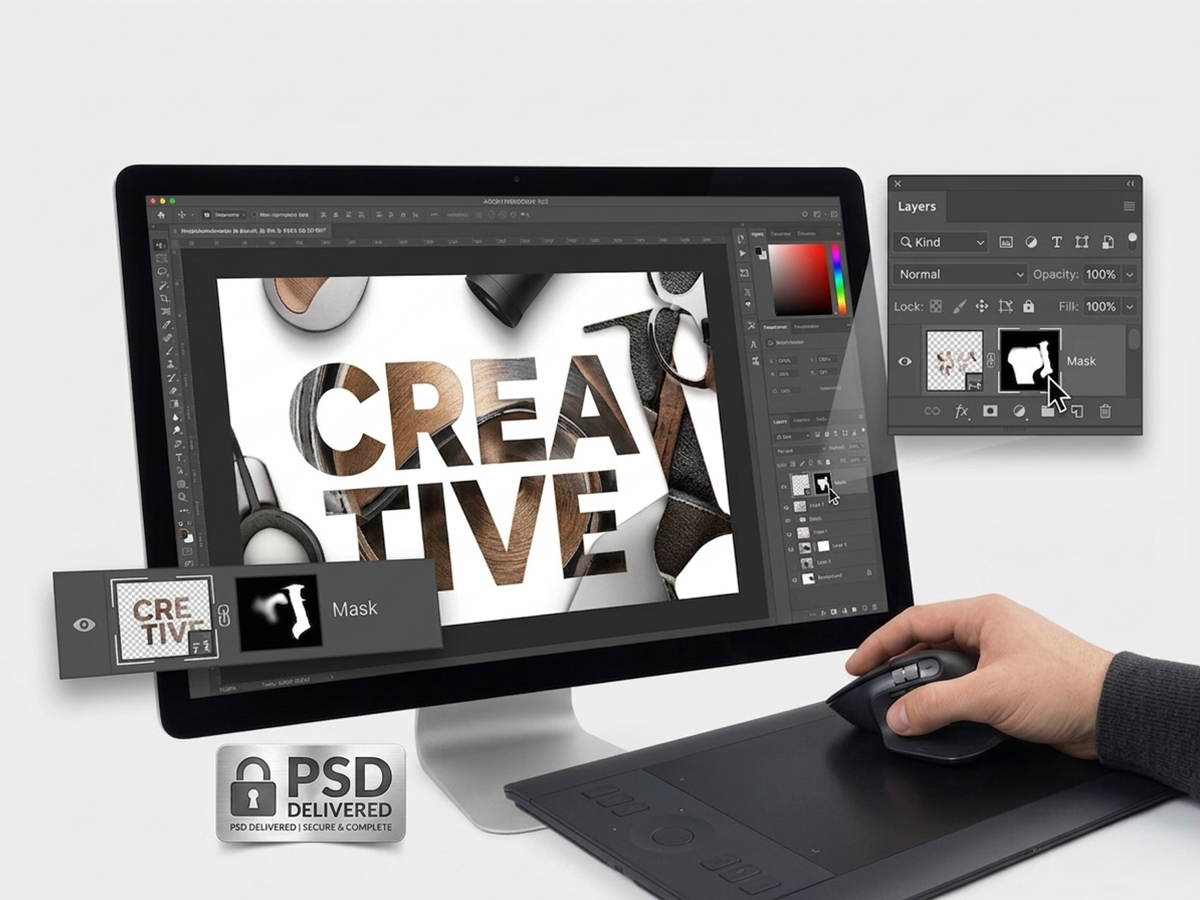
Clipping masks at Clipping Path Center: the specification
| Service | Clipping mask — non-destructive layer masking in Adobe Photoshop |
|---|---|
| What it does | Hides pixels instead of deleting them, using the shape or transparency of the layer beneath |
| Transparency depth | 256 levels per pixel, because a Photoshop mask is an 8-bit grayscale channel |
| Standard turnaround | 24 hours; 48 hours for multi-layer composites |
| Price | From $0.39 per image; quoted per file for multi-layer composite work |
| Minimum order | None |
| Files accepted | JPEG, PNG, TIFF, PSD, RAW, and your existing layered artwork |
| Files delivered | Layered PSD with masks live and editable; flattened PNG, JPEG or TIFF on request |
| What stays editable | Every mask, every layer, and the original image data underneath |
| Revisions | Free until the file matches your written specification |
| Confidentiality | NDA on every file; encrypted FTP and SFTP transfer |
| Free trial | Two images, edited and returned before you commit |
Specifications current as of 10 August 2026.
Nothing is deleted
A mask hides pixels rather than removing them. The original image data survives inside the delivered file, so a decision made today can be reversed next quarter.
256 levels, not two
A hard path gives each pixel one of two states. A mask stores 256 levels of transparency per pixel, which is what makes soft and partial edges possible.
Type and vector fills
Imagery clipped inside typography, logos or vector shapes, with the artwork conforming exactly to the letterforms.
What is a clipping mask?
A clipping mask is a Photoshop technique in which one layer controls the visibility of the layer directly above it. The upper layer is displayed only where the lower layer carries content, so imagery can be poured into the shape of type, a logo or any vector form.
The defining property is that nothing is destroyed. A clipping path deletes everything outside its outline permanently. A clipping mask hides those pixels instead, and every hidden pixel is still present in the file. Changing the crop later is a matter of adjusting the mask rather than re-cutting the product.
The mask itself is an 8-bit grayscale channel. Adobe documents an 8-bit channel as holding 28, or 256, possible values, which is why a mask can express a pixel that is 40 per cent visible while a vector path can only express fully in or fully out. That single technical difference is what separates the two techniques in practice.
Clipping mask, layer mask, clipping path: which one you actually need
These three terms are used interchangeably in briefs and they are not interchangeable in production. Ordering the wrong one is the most common reason a masking job comes back looking wrong.
| Technique | How it works | Pixels deleted? | Partial transparency | Order it for |
|---|---|---|---|---|
| Clipping mask | The shape of the layer below controls what the layer above shows | No | Yes, inherited from the base layer | Imagery inside type, logos or vector shapes |
| Layer mask | A grayscale channel attached to one layer controls its own visibility | No | Yes, 256 levels per pixel | Hair, fur, soft edges, blends and composites |
| Clipping path | A vector outline; everything outside it is removed | Yes, permanently | No, fully in or fully out | Hard-edged products for silo images |
| Alpha channel | A saved selection stored inside the file, not applied to a layer | No | Yes | Reusable selections handed to another team |
In production the three are combined rather than chosen between. A typical apparel composite carries a clipping path around the garment body, a layer mask across the hair or fabric fringe, and a clipping mask holding the campaign imagery inside the headline type. Clipping Path Center quotes the combination as one job. See when a hard clipping path is the right call instead.
How Clipping Path Center builds a clipping mask
Every mask is built by hand on its own layer, so the file that arrives can be taken apart and rebuilt by your own designers.

The mask is built on its own layer
An editor paints and refines the mask as a grayscale channel attached to its layer. White reveals, black conceals, and every value between the two produces partial visibility. Because the mask is a separate object from the pixels it governs, your designers can invert it, feather it or delete it entirely without touching the photograph.

Imagery is clipped into type and vector shapes
Photography, texture or gradient is clipped into a type layer or vector shape so the artwork conforms exactly to the letterforms. The type stays live text, which means the copy can be rewritten and the imagery reflows into the new letters without the file being rebuilt.

Composite elements are isolated without commitment
For multi-element artwork, each component sits on its own masked layer rather than being merged into the background. Swapping one product, shifting a shadow or changing a backdrop becomes a single-layer edit. Merged files force the whole composite to be rebuilt from the source photography.

The file is delivered layered
Layers are named and grouped to a stated convention before delivery, and the untouched original sits at the bottom of the stack. A flattened PNG, JPEG or TIFF is supplied alongside when you need something ready to publish immediately.
What is technically true about masks, and what follows from it
Masking is one of the few areas of image editing where the marketing claims can be checked against documented software behaviour. These are the facts the service is built on.
| Property | Specification | Source |
|---|---|---|
| Mask bit depth | An 8-bit channel holds 28, or 256, possible values | Adobe Photoshop bit depth documentation |
| What that permits | Any pixel can be recorded as partially visible rather than only visible or hidden | Follows from the above |
| Non-destructive behaviour | Masked pixels remain present in the file and can be revealed again at any time | Adobe Photoshop layer masking |
| Formats that preserve masks | PSD, PSB and layered TIFF. PNG and JPEG flatten on save. | Image format specifications |
| Transparency on delivery | PNG and TIFF carry an alpha channel. JPEG cannot. | Image format specifications |
| Live type | Text clipped by a mask remains editable text until the file is rasterised | Adobe Photoshop type layers |
| Layer naming | Named groups and layers to your stated convention | Clipping Path Center delivery standard |
Bit depth is quoted from Adobe’s own reference: “An image with a bit depth of 8 has 28, or 256, possible values” — Adobe Photoshop bit depth and preferences, retrieved 10 August 2026. Format behaviour is a property of the file specifications themselves and does not vary by vendor.

Who orders clipping masks, and what they specify
Design studios
Imagery clipped into live type for campaign artwork, so the headline can be rewritten without a rebuild.
Advertising agencies
Layered composites where a single product or backdrop can be swapped between market versions.
E-commerce brands
Product isolations with soft or partial edges that a hard path would cut through.
Photographers
Non-destructive retouching, where every adjustment stays reversible in the returned file.
How a clipping mask job runs
Layer structure is agreed before production, because a masked file is only useful to your team if it is organised the way your team works.
Send the artwork
Upload flat images or your existing layered PSDs. Every file is covered by an NDA on arrival, and there is no minimum order.
Agree structure and scope
We confirm which elements need masking, the layer naming convention, the group structure and the delivery formats, then quote against that written specification.
Build and check
An editor builds each mask by hand on its own layer and checks it against the specification. A separate QA reviewer inspects mask edges at high zoom before a final pre-delivery pass.
Delivery and revisions
Layered PSDs return within 24 hours for standard work, with flattened exports alongside. Anything off-specification is corrected free of charge.
Who edits your images, and where
A masked file is a working asset your designers will open and edit, so the standard it is built to matters more than it does for a flat deliverable. These are the facts behind who builds it.
Year Clipping Path Center was founded. Fifteen-plus years of continuous production work sit behind the current process.
In-house editors on the production floor in Dhaka, Bangladesh. No freelancer marketplace and no rotating contractors.
Quality-control passes before delivery: editor self-check, dedicated QA against your written specification, and a final pre-delivery review.
Zoom level editors work at when tracing edges with the Photoshop pen tool. Path accuracy is judged at that magnification, not at fit-to-screen.
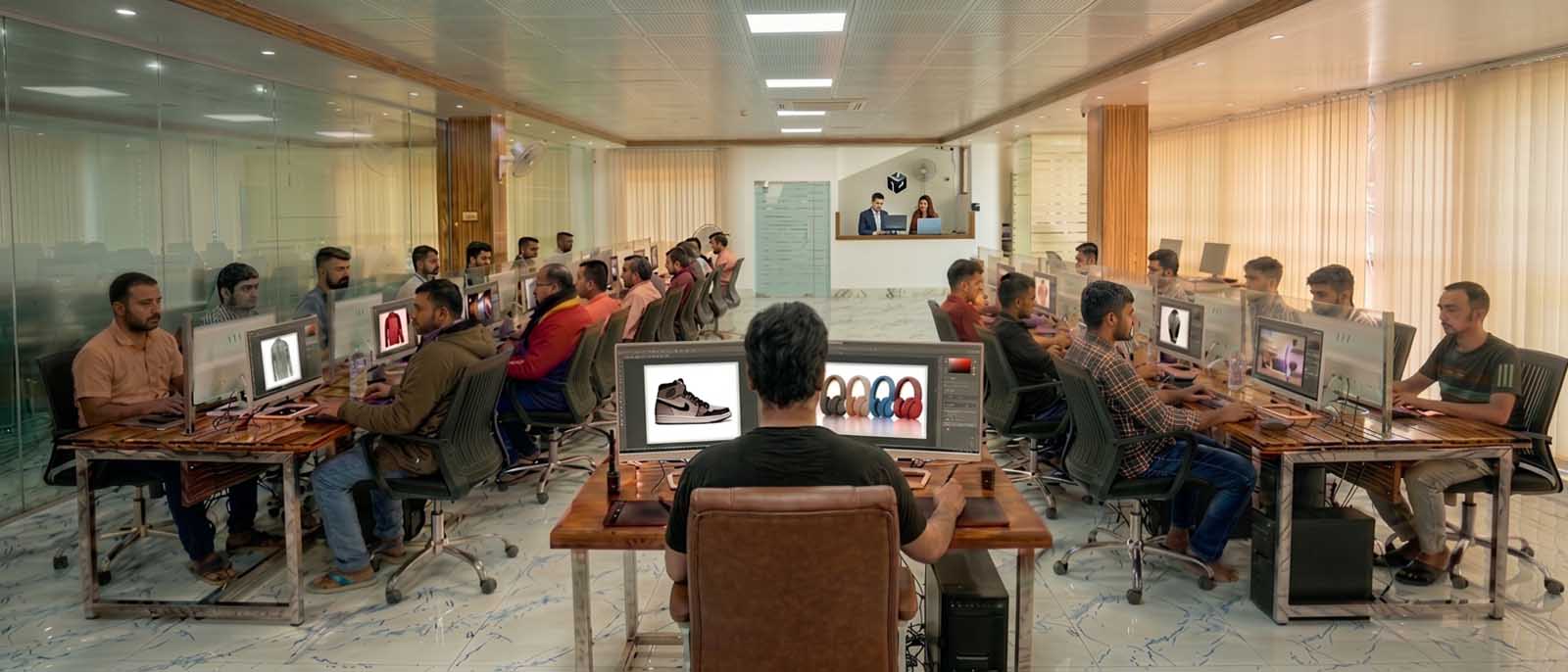
Client-facing offices and support run from the United States, the United Kingdom and Australia. All editing is produced in the Dhaka facility.
Campaign artwork that survives a copy change
Bright Fields Agency, an advertising agency, needed promotional banners in which product photography sat inside bold headline type, and expected the headline copy to change across 12 markets. Clipping Path Center built 12 layouts on clipping masks with live type layers rather than flattening them, so the agency’s own designers could rewrite each headline and watch the imagery reflow into the new letterforms without returning for a re-edit. 12 market versions were produced in-house instead of 12 re-edit rounds.
“We used to send every market’s headline tweak back for a re-edit and wait days for each one. Now our own team drops in new copy and the artwork just adapts.”
— Sophie Lang, Account Director · August 2026

Clipping mask prices, per image
Masking is priced by the number of elements that need separating and the difficulty of their edges, not by the size of the file.
| Type of work | What falls into it | Price per image |
|---|---|---|
| Basic mask | A single element with a defined edge, or a straightforward type fill | From $0.39 |
| Typography fill | Imagery clipped into live type or vector shapes, delivered layered | Quoted per file |
| Complex mask | Soft, fine or partially transparent edges: hair, fur, mesh, fabric, glass | Quoted per image |
| Multi-layer composite | Several masked elements assembled into one layered artwork | Quoted per file |
Prices are quoted in US dollars per image and are current as of 10 August 2026. Volume above [minimum monthly volume] images per month moves into a discounted tier.
Who checked this page
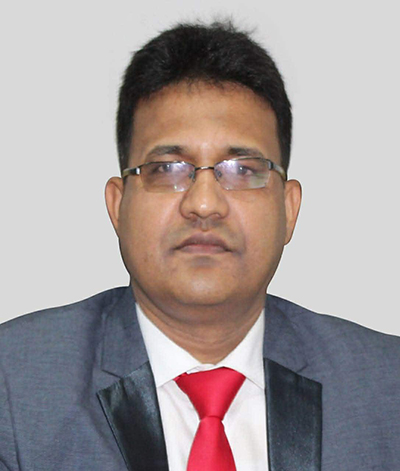
Salim Ahmed
Salim Ahmed runs the production floor and everything at Clipping Path Center in Dhaka, where he has worked in image post-production since 2008. He sets the quality-control standard every delivered file is measured against and personally reviews escalated non-destructive masking and layered file delivery work.
Clipping masks: questions buyers ask before ordering
What is a clipping mask?
A clipping mask is a Photoshop technique in which one layer controls the visibility of the layer above it. The upper layer shows only where the lower layer carries content, which is how imagery is poured into the shape of type, a logo or a vector form. No pixels are deleted.
What is the difference between a clipping path and a clipping mask?
A clipping path is a vector outline that permanently deletes everything outside it, and each pixel is either kept or removed. A clipping mask hides pixels instead of deleting them and records 256 levels of transparency per pixel, because the mask is an 8-bit grayscale channel. Order a path for hard-edged silo work and a mask for soft edges or anything you expect to edit again.
What is the difference between a clipping mask and a layer mask?
A layer mask is a grayscale channel attached to one layer that controls only that layer. A clipping mask uses the shape of the layer beneath it to control the layer above. Both are non-destructive; the difference is where the shape comes from.
Can you put an image inside text?
Yes. Imagery is clipped into a type layer so it conforms exactly to the letterforms, and the type stays live. Rewriting the headline reflows the imagery into the new letters without the file being rebuilt.
Will my original image be altered?
No. Masked pixels remain in the delivered file. The mask can be adjusted, inverted or deleted at any point, and the untouched original sits at the bottom of the layer stack in the PSD you receive.
What file do I receive?
A layered PSD with the masks live and editable, with layers named and grouped to your stated convention. A flattened PNG, JPEG or TIFF is supplied alongside when you need something ready to publish immediately.
Can a mask handle hair and fur?
Yes, and this is the main reason to choose masking over a path. Because a mask records partial transparency per pixel, individual hair strands can be preserved against a new background instead of being cut through by a hard outline.
How fast is delivery?
Standard turnaround is 24 hours. Multi-layer composite work runs to 48 hours. Express delivery is available on request.
What happens if the layer structure is not what we wanted?
It is rebuilt free of charge. The naming and grouping convention is agreed in writing at quote stage precisely so the delivered file drops into your existing workflow.
Are my files kept confidential?
Yes. Every file is covered by an NDA, transferred over encrypted FTP or SFTP, and used only to complete your order.
More answers on the Clipping Path Center FAQ page.
Send two images. See the work first.
Send two images and get them back masked, layered and editable, before you commit to anything.
Two free sample images · No card required · No minimum order