
Photoshop Editing Services
Photoshop editing is what you order when the deliverable is a working file, not a flat export. Clipping Path Center produces layered PSD work by hand — adjustment layers, named groups, live masks and smart objects intact — so your own designers can open the file and keep going.
- Founded 2008 · 15+ years
- 150+ in-house editors
- Hand-edited, human QA
- NDA on every file
- No minimum order
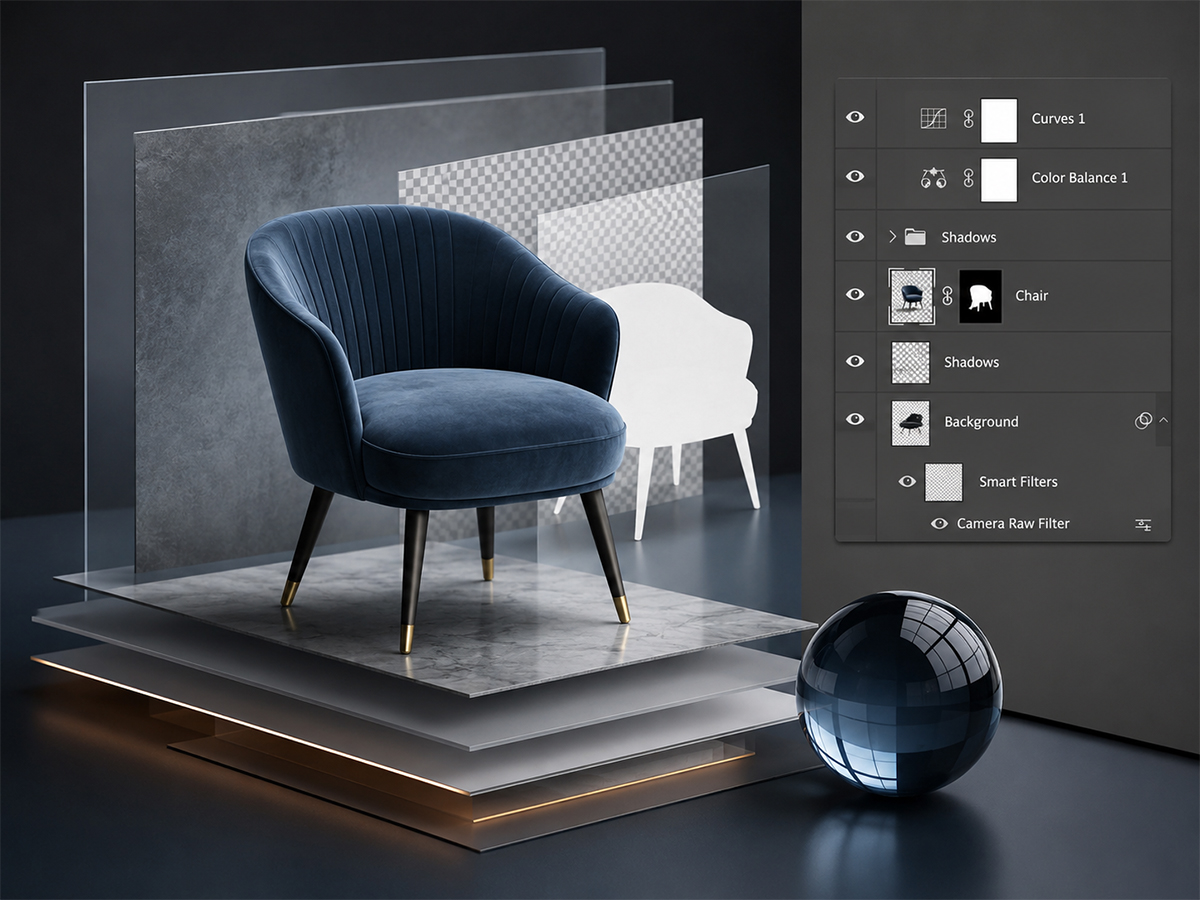
Photoshop editing at Clipping Path Center: the specification
| Service | Photoshop editing — retouching, masking, composites, grading, delivered layered |
|---|---|
| Method | Hand-edited by trained editors; non-destructive layers throughout |
| Standard turnaround | 24 hours; 48 hours for multi-layer composite work |
| Price | From $0.39 per image; advanced retouching from $1.19 |
| Minimum order | None |
| Files accepted | JPEG, PNG, TIFF, PSD, PSB, RAW, and your existing layered artwork |
| Files delivered | Layered PSD or PSB with named groups, plus flattened exports in any format |
| What stays live | Masks, adjustment layers, smart objects, live type and every original pixel |
| Layer convention | Named and grouped to your studio’s convention, agreed before production |
| Color space | sRGB, Adobe RGB or CMYK, converted or preserved as you specify |
| Revisions | Free until the file matches your written specification |
| Confidentiality | NDA on every file; encrypted FTP and SFTP transfer |
Specifications current as of 10 August 2026.
Layers arrive named and grouped
A PSD with forty layers called “Layer 12 copy” is a flat file with extra steps. Naming and grouping are agreed before production and applied to every file.
Non-destructive throughout
Adjustment layers, masks and smart objects rather than baked pixels. Every decision in the file can be reversed by your team without going back to the original.
Overnight capacity
A studio backlog moves through a 150-editor floor and comes back the next working day, at the standard your reference file set.
What are Photoshop editing services?
Photoshop editing services are outsourced post-production carried out inside Adobe Photoshop and delivered as working files. The output is a layered document — masks, adjustment layers, smart objects and groups intact — rather than a flattened image.
That distinction is the whole reason the service is bought separately from general image editing. A flat JPEG closes the file. A layered PSD keeps it open, so a change of background, a color variant or a market-specific version becomes an edit rather than a re-order.
The work is ordered by teams who already have Photoshop expertise and are short of hands rather than short of skill: agencies with a campaign deadline, studios with a shoot backlog, in-house design teams absorbing a catalogue refresh. What they need is capacity that returns files structured the way they would have structured them.
Flat delivery, layered delivery and what each one costs you later
The delivery format is the decision that matters most and it is usually made by default. This is what each one commits you to.
| Delivered as | Editable later | Color variant costs | Background change costs | Right when |
|---|---|---|---|---|
| Flattened JPEG or PNG | No | A new order | A new order | The image is final and single-use |
| Layered PSD | Fully | One layer edit in-house | One layer edit in-house | Variants, markets or seasons are coming |
| PSD plus flattened exports | Fully | One layer edit in-house | One layer edit in-house | Almost always — publish now, edit later |
| Smart-object template | Fully, and repeatable | Swap the smart object | Swap the smart object | The same layout repeats across many products |
The last row is worth knowing about before you brief a large job. Where one layout repeats across a range — the same frame, the same shadow, the same background, different product — the file can be built once as a smart-object template and populated, rather than edited product by product. It changes the shape of the quote. See how composite files are constructed.
What Clipping Path Center produces in Photoshop
Four areas cover almost all the work. Each one is the reason a team reaches for Photoshop rather than a batch tool.

High-end retouching
Frequency separation and dodge-and-burn work on products and portraits, kept on their own layers so intensity can be dialled back. The test is that the material still reads as the material: skin as skin, leather as leather. Retouching that removes the texture along with the flaw is the most common failure in this category.

Complex masking and paths
Channel masking for hair, fur, mesh, glass and smoke, combined with hand-drawn paths on the hard edges of the same subject. Both are delivered live on the file, so the extraction can be refined or reversed later rather than baked into the pixels.

Composites and constructed images
Ghost mannequin builds, multi-element product groups and campaign composites, assembled with each element on its own masked layer alongside its own shadow layer. Light direction, shadow density, perspective and grain are reconciled across elements before assembly.

Color and exposure grading
Grading applied as adjustment layers rather than baked in, so a look can be matched across a set and then adjusted globally afterwards. Where a campaign has an approved reference frame, the grade is built against it and the stack is delivered so your team can carry it to later shoots.
What we agree about file structure before production
On layered work the structure of the file is half the deliverable, so it is specified rather than left to the editor.
| Item | What gets agreed | Why it matters |
|---|---|---|
| Layer naming | Your studio’s convention, applied to every layer | Unnamed layers make a PSD unusable at volume |
| Group structure | How elements, masks, shadows and adjustments nest | Your team should not have to learn our logic |
| Non-destructive rule | Masks and adjustment layers instead of baked pixels | Keeps every decision reversible in-house |
| Smart objects | Whether placed elements stay linked or embedded | Linked objects update across files; embedded ones do not |
| Color space | sRGB, Adobe RGB or CMYK, converted or preserved | A silent conversion shifts every color in the set |
| Bit depth | 8-bit or 16-bit per channel on delivery | 16-bit survives further grading; 8-bit banding does not recover |
| Flattened exports | Which formats and dimensions accompany the PSD | Publish immediately without opening Photoshop |
| File naming | Matched to your asset management or SKU system | Bulk ingestion fails on names, not on quality |
This structure is recorded at quote stage and issued to you in writing. Quality control checks the layer stack against it as well as checking the image, because a correct picture in an unusable file is not a delivered job.

Who outsources Photoshop work
Advertising agencies
Campaign composites delivered layered, so market versions are produced in-house.
E-commerce and brand teams
Catalogue work returned as working files that feed a template rather than a one-off export.
Photographers and studios
A shoot backlog cleared overnight without adding permanent retouching headcount.
Design and production studios
Overflow capacity that returns files structured to the studio’s own convention.
How a Photoshop editing engagement runs
The first file is the specification. Everything after it is measured against that file rather than against a description.
Send a reference file
Upload one representative image plus, if you have one, a PSD showing how you want files structured. It is edited free, under NDA.
Agree structure and scope
We confirm the editing scope, layer naming, group structure, color space, bit depth, exports and file naming, then quote against that written specification.
Edit and check
Editors work each file by hand on live layers. Quality control checks the image and the layer stack, since an unusable file structure is a failed delivery.
Deliver and iterate
Layered files plus flattened exports return by FTP or SFTP within 24 hours for standard work. Anything off-specification is corrected free of charge.
Who edits your images, and where
Layered Photoshop work is judged by the person who opens the file next, which makes the standard of the editor the entire deliverable. These are the facts about the floor.
Year Clipping Path Center was founded. Fifteen-plus years of continuous production work sit behind the current process.
In-house editors on the production floor in Dhaka, Bangladesh. No freelancer marketplace and no rotating contractors.
Quality-control passes before delivery: editor self-check, dedicated QA against your written specification, and a final pre-delivery review.
Zoom level editors work at when tracing edges with the Photoshop pen tool. Path accuracy is judged at that magnification, not at fit-to-screen.
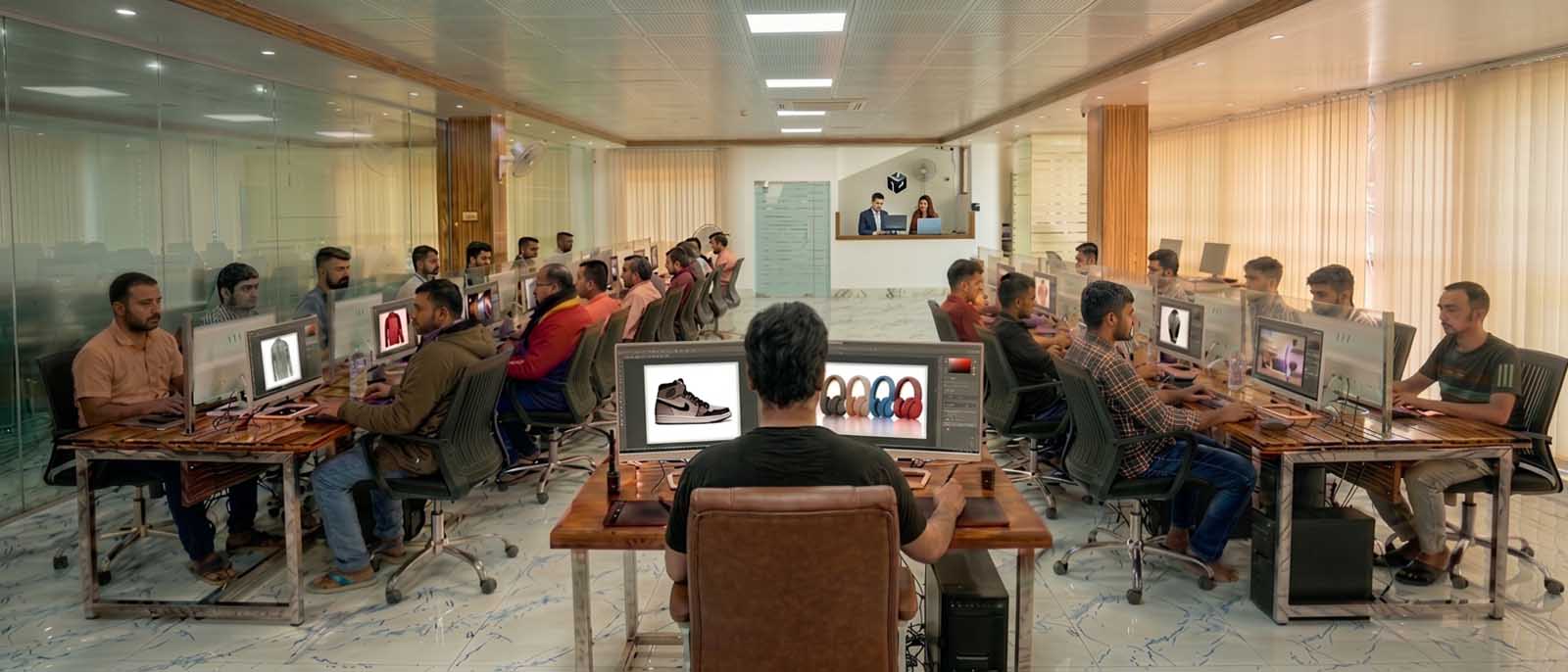
Client-facing offices and support run from the United States, the United Kingdom and Australia. All editing is produced in the Dhaka facility.
Clearing a campaign backlog without changing the file structure
Halden & Wren, an advertising agency, needed 40 campaign composites built to a deadline and could not absorb the volume in-house. Clipping Path Center built one file to the agency’s own layer convention as a reference, then produced the remainder against it, delivering layered PSDs so the agency’s designers could produce market variants themselves. 24 market versions were produced in-house from 8 master files.
“The files came back exactly as if our own team had built them, same layer names, same structure. Our designers just opened them up and kept working.”
— Owen Halden, Design Director · June 2026

Photoshop editing prices, per image
Pricing follows the operation and the depth of the retouching, not the number of layers in the finished file.
| Category | Typical work | Price per image |
|---|---|---|
| Basic | Paths, masking, background work, straightforward color | From $0.39 |
| Intermediate | Shadow construction, standard retouching, grading | From $0.49 |
| Advanced | Frequency separation, channel masking, multi-element composites | From $1.19 |
| Template build | A reusable smart-object layout populated across a range | Quoted per template |
Prices are quoted in US dollars per image and are current as of 10 August 2026. Volume above [minimum monthly volume] images per month moves into a discounted tier.
Who checked this page
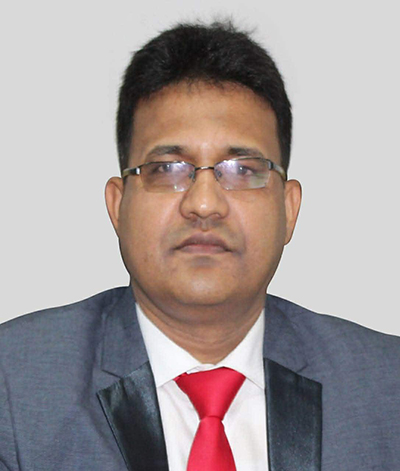
Salim Ahmed
Salim Ahmed runs the production floor and everything at Clipping Path Center in Dhaka, where he has worked in image post-production since 2008. He sets the quality-control standard every delivered file is measured against and personally reviews escalated layered Photoshop production and high-end retouching work.
Photoshop editing services: questions studios ask
What are Photoshop editing services?
Photoshop editing services are outsourced post-production carried out inside Adobe Photoshop and delivered as working files. The output is a layered document with masks, adjustment layers, smart objects and groups intact, rather than a flattened image.
Do I get the layered file?
Yes, that is the point of ordering this rather than general image editing. Layered PSD or PSB delivery is standard, with layers named and grouped to your convention, and flattened exports supplied alongside so you can publish immediately.
Can you match our studio’s layer naming convention?
Yes. Send one file structured the way you want and it becomes the template. Naming, grouping and how masks, shadows and adjustments nest are agreed in writing before production and checked by quality control on every delivery.
Is the work non-destructive?
Yes. Masks and adjustment layers rather than baked pixels, so every decision in the file can be reversed by your team without going back to the original photograph.
Do you use AI tools?
Files are edited by trained human editors and checked by human quality control. That is why complex edges, fine texture and color accuracy hold up on work where automated tools soften the edge or flatten the material.
What color space and bit depth do you deliver in?
Whatever you specify: sRGB, Adobe RGB or CMYK, at 8-bit or 16-bit per channel. It is worth stating, because a silent conversion shifts every color in a set, and 8-bit banding cannot be recovered by later grading.
Can you build a reusable template?
Yes. Where one layout repeats across a range with only the product changing, the file is built once as a smart-object template and populated rather than edited image by image. It is usually the cheaper route on large ranges.
How fast is delivery?
Standard turnaround is 24 hours. Multi-layer composite work runs to 48 hours. Express handling is available on request, and ongoing accounts run to an agreed daily throughput.
Can you work on our existing PSDs?
Yes. Existing layered artwork is accepted and worked on in place, preserving your structure rather than rebuilding it.
How much does it cost?
From $0.39 per image for paths, masking and background work, from $0.49 for shadow construction and standard retouching, and from $1.19 for frequency separation, channel masking and multi-element composites.
More answers on the Clipping Path Center FAQ page.
Send two images. See the work first.
Send one image and, if you have one, a PSD showing how you structure files. Both come back matched, free.
Two free sample images · No card required · No minimum order